Shared Team Room
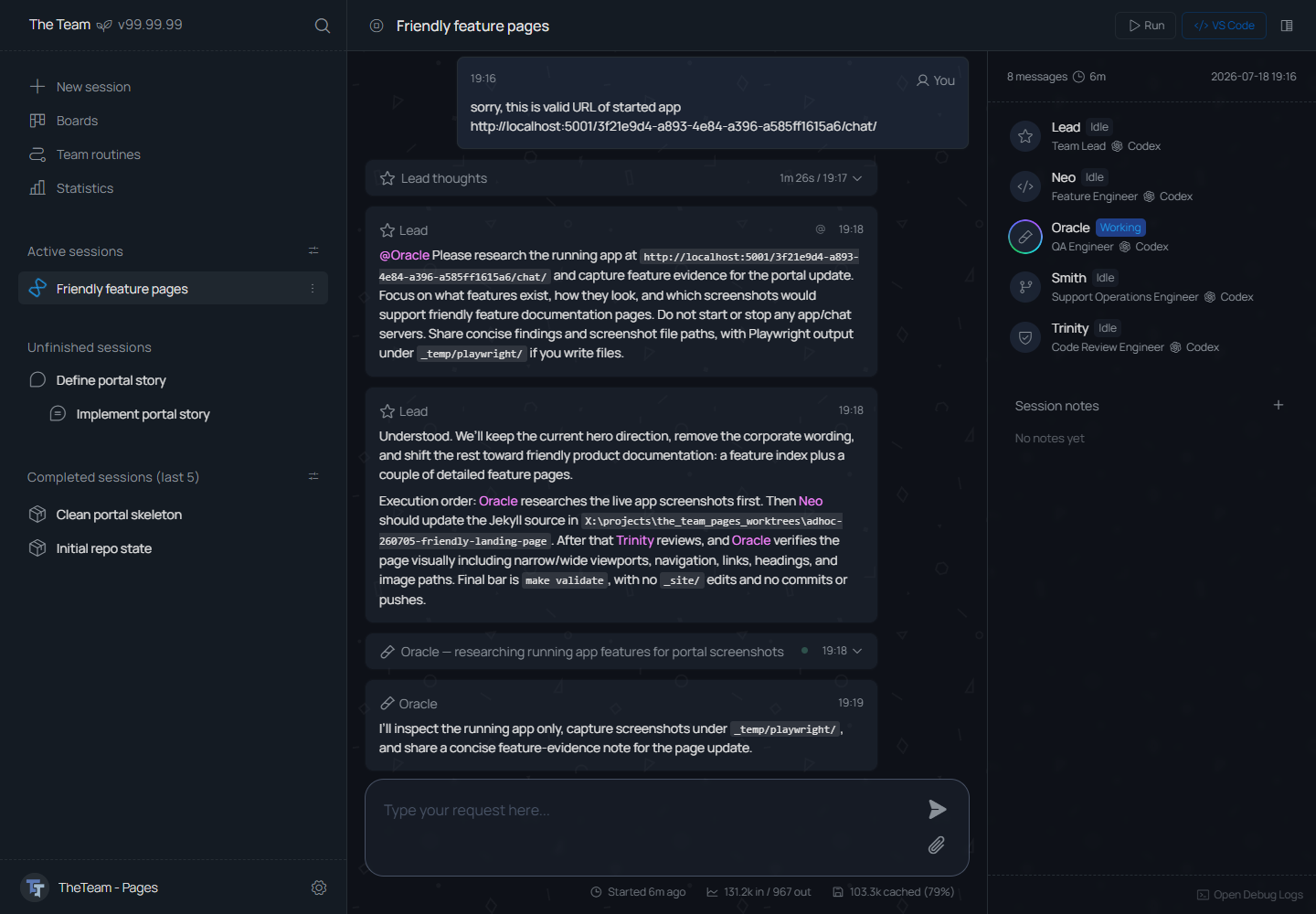
The shared team room is the main session screen in TheTeam. It shows the agent conversation, participant status, session notes, files, runtime information, and available actions.
What It Does
- Accepts a plain session request.
- Shows selected teammates for the session.
- Shows the session title, current run controls, and workspace actions.
- Keeps the message stream and composer in the center.
- Shows teammate status and session notes beside the conversation.
- Tracks runtime and token information while the work is active.
Session Context
The session keeps chat, notes, status, and handoff context in one record. Agents joining the session can read the same working context.
Session Flow
- Request text is entered.
- Teammates are selected.
- A session is created.
- Agents coordinate through the shared chat.
- Notes and actions capture durable context and next steps.