Features
TheTeam is an AI operations workspace for developers and advanced users in AI agentic systems. It models work as sessions with agent roles, shared chat, notes, boards, routines, actions, and project memory.
Sessions
Shared team room
All agents participate in one shared chat as remote teammates, with status, notes, and session action buttons attached to the user request.
Session details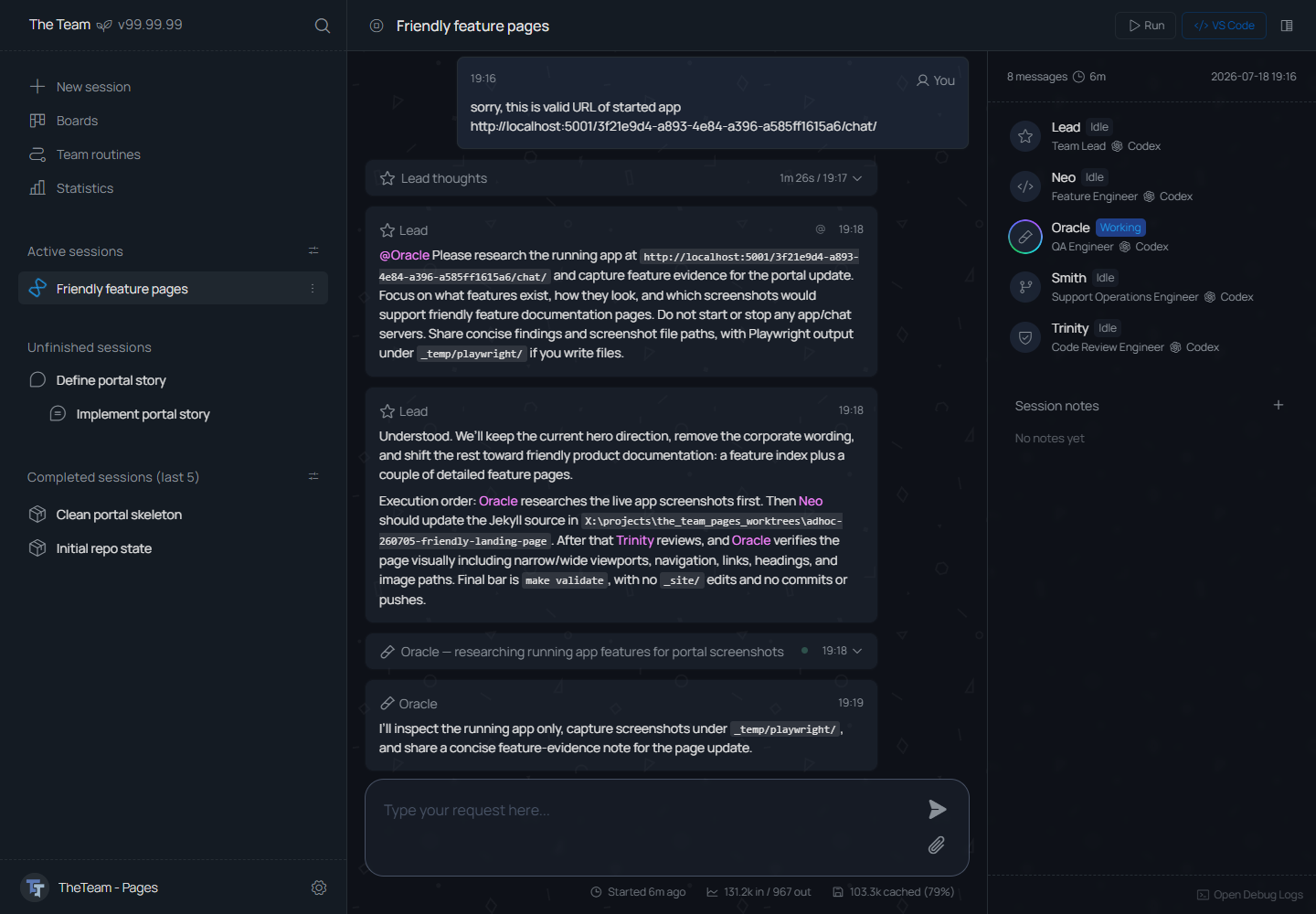
Agents
AI Agents configuration
Agent settings cover runtime type, AI provider and model, instructions, evolving identity text, assigned skills, available tools, and approval rules.
Configuration details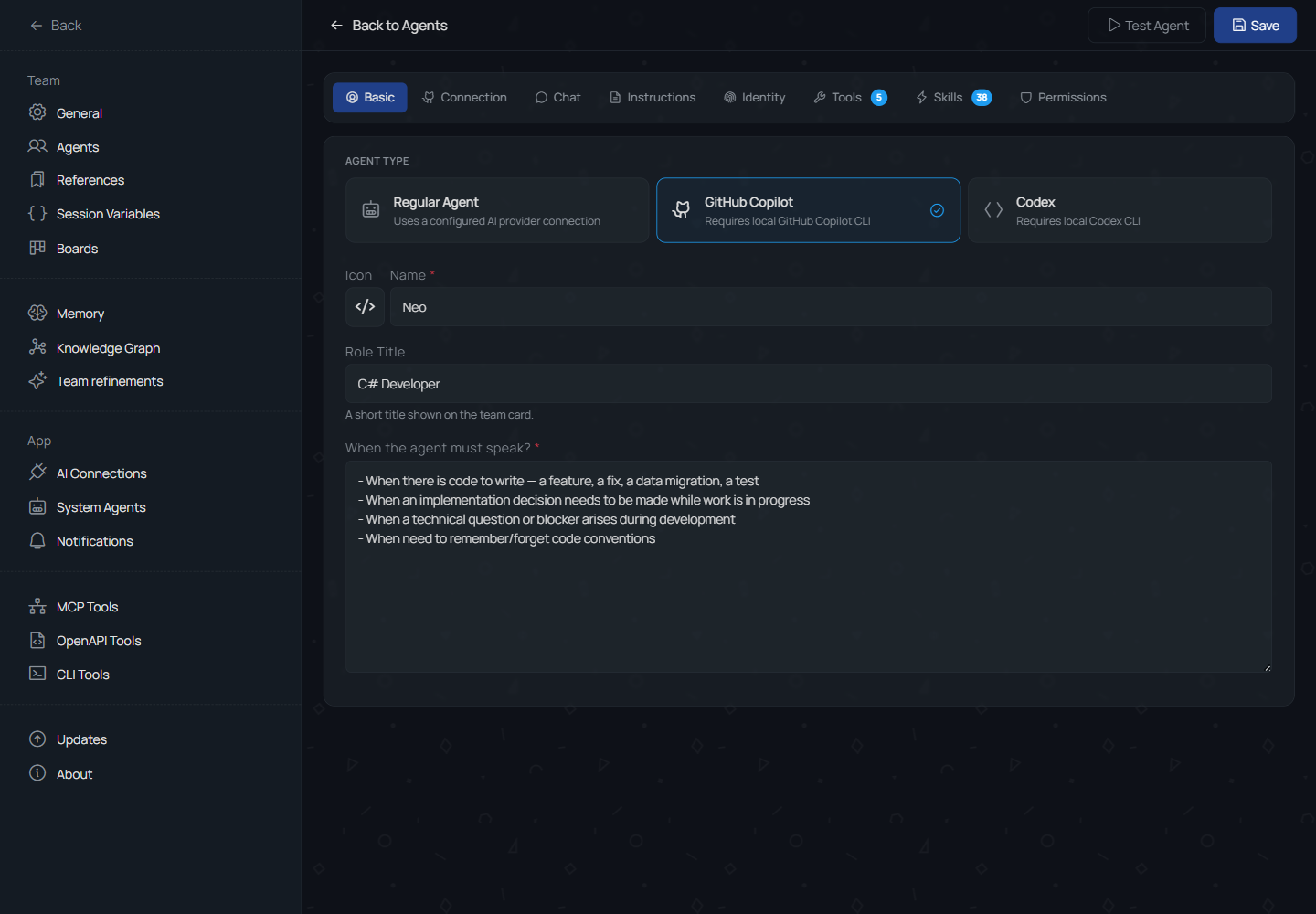
Agent tools
AI Agents tools
Agent tools can come from MCP stdio or HTTP servers, OpenAPI specifications, local CLI commands, and routines exposed through an agent-tool trigger.
Tool detailsModel access
AI connections
Connections configure OpenAI, Anthropic, Azure, OpenRouter, and custom OpenAI-compatible providers, including local endpoints, for Regular agents and Copilot agent types.
Connection detailsWork items
Boards
Boards start team work from work items and PRs. The app builds the initial prompt from the selected item and opens a new chat in one click.
Board details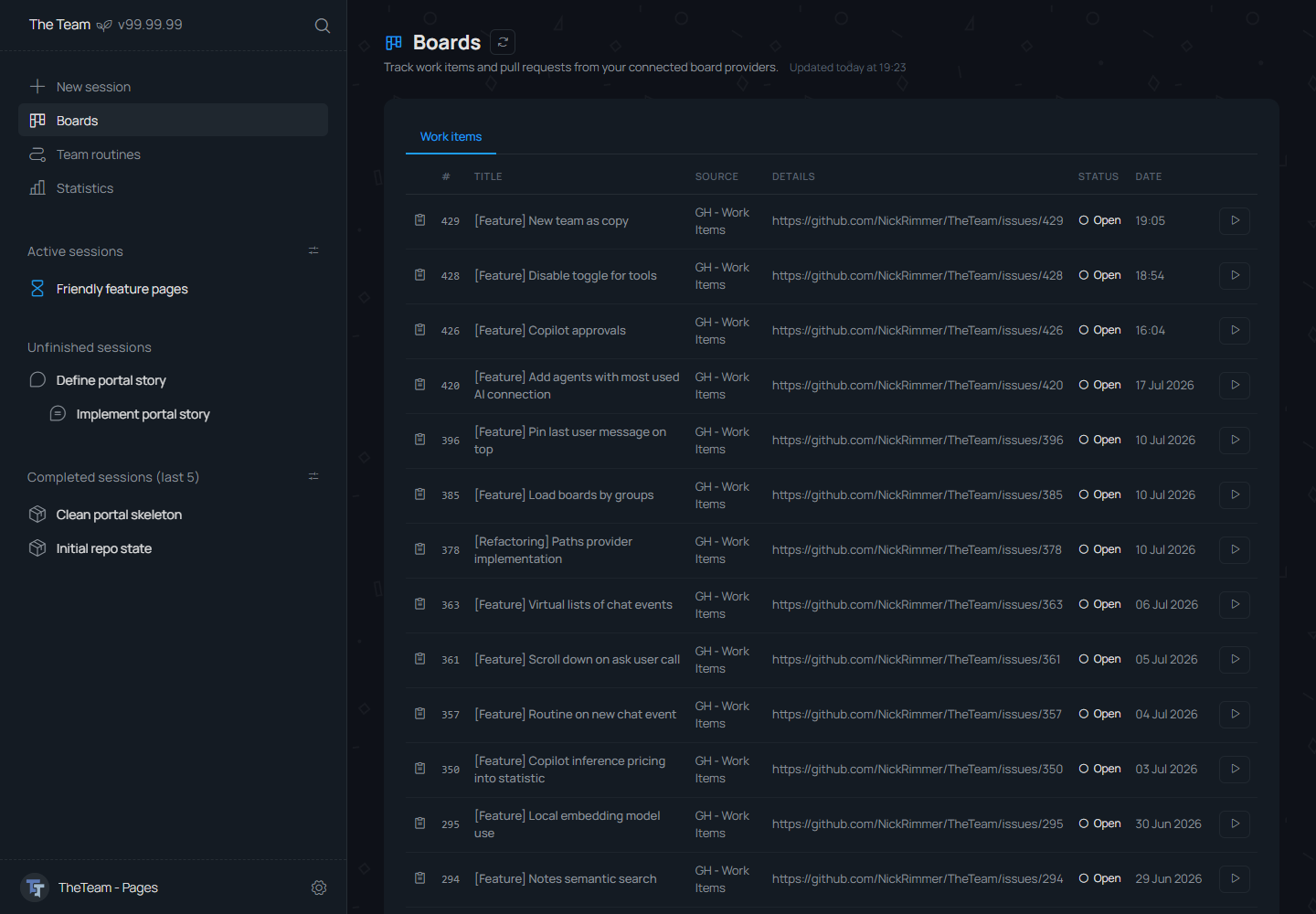
Knowledge
Memory
Memory stores structured team knowledge in a knowledge base and graph, vectorized for semantic search by agents while sessions run and updated from completed work.
Memory detailsAutomation
Team routines
Node-based automation editor. Routines can run from triggers such as new chat start or regex-matched messages, and can be exposed as tools for agents during inference.
Routine details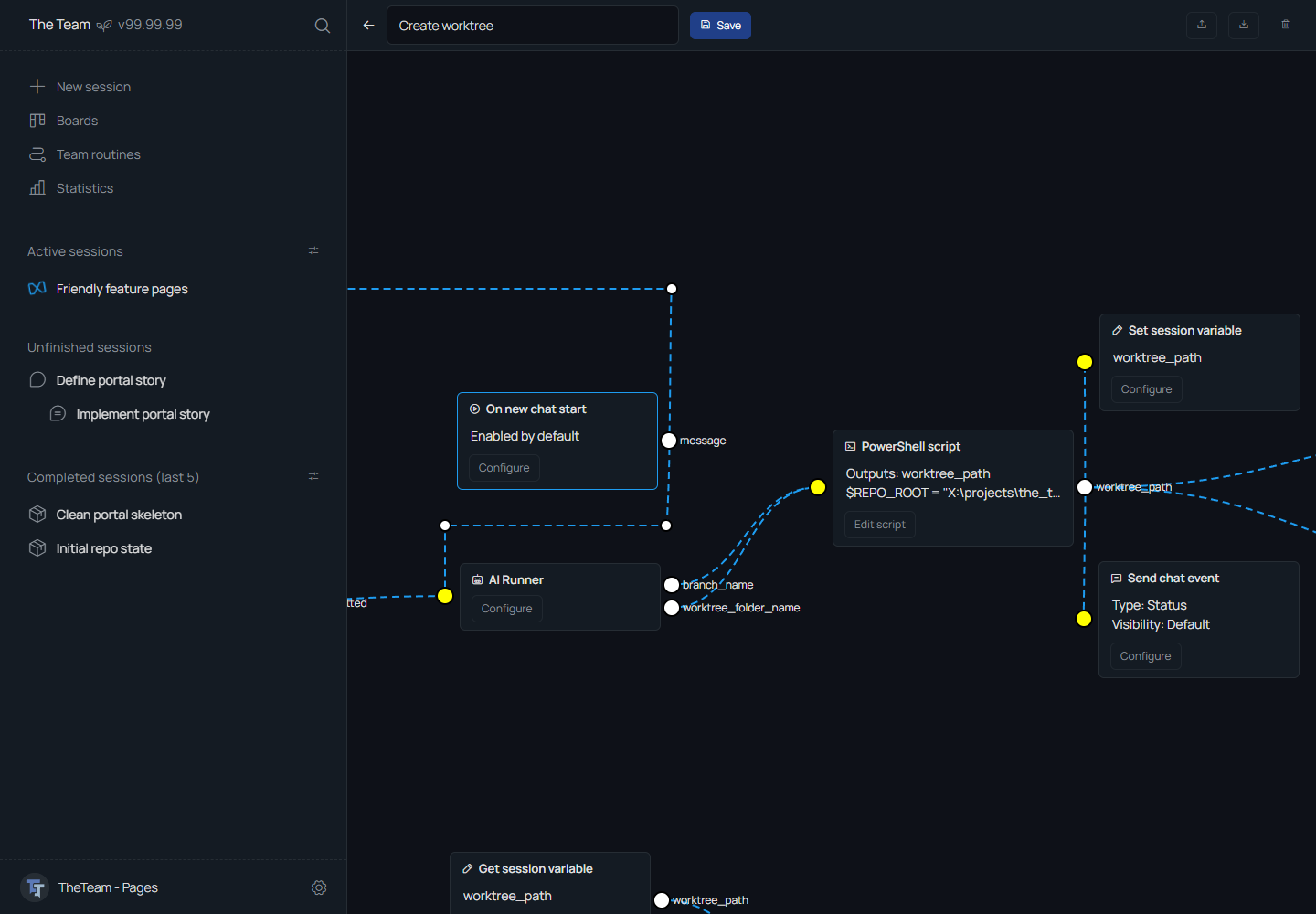
More App Features
Session Notes
Session notes are shared artifacts for agent summaries, reports, and other outputs that should stay outside the main chat context. Notes keep large material out of the context window and avoid temporary files; agents that need the material can read the note.
Session Actions
Session actions are dynamic, chat-specific buttons created from context available in the session. Session variables can be defined by routines or agents and can be configured for team-member management. Action buttons can run commands, start apps, open URLs, and, in planned work, run routines.